Financials Summary
The Financials Summary acts as the homepage for the Financials module, and contains shortcuts to key components of the module.
Availability
Users that have any of the Financials-related Permissions active will have access to the Financials Summary.
Navigation
Modules > Financials
iSite Reporting Summary.
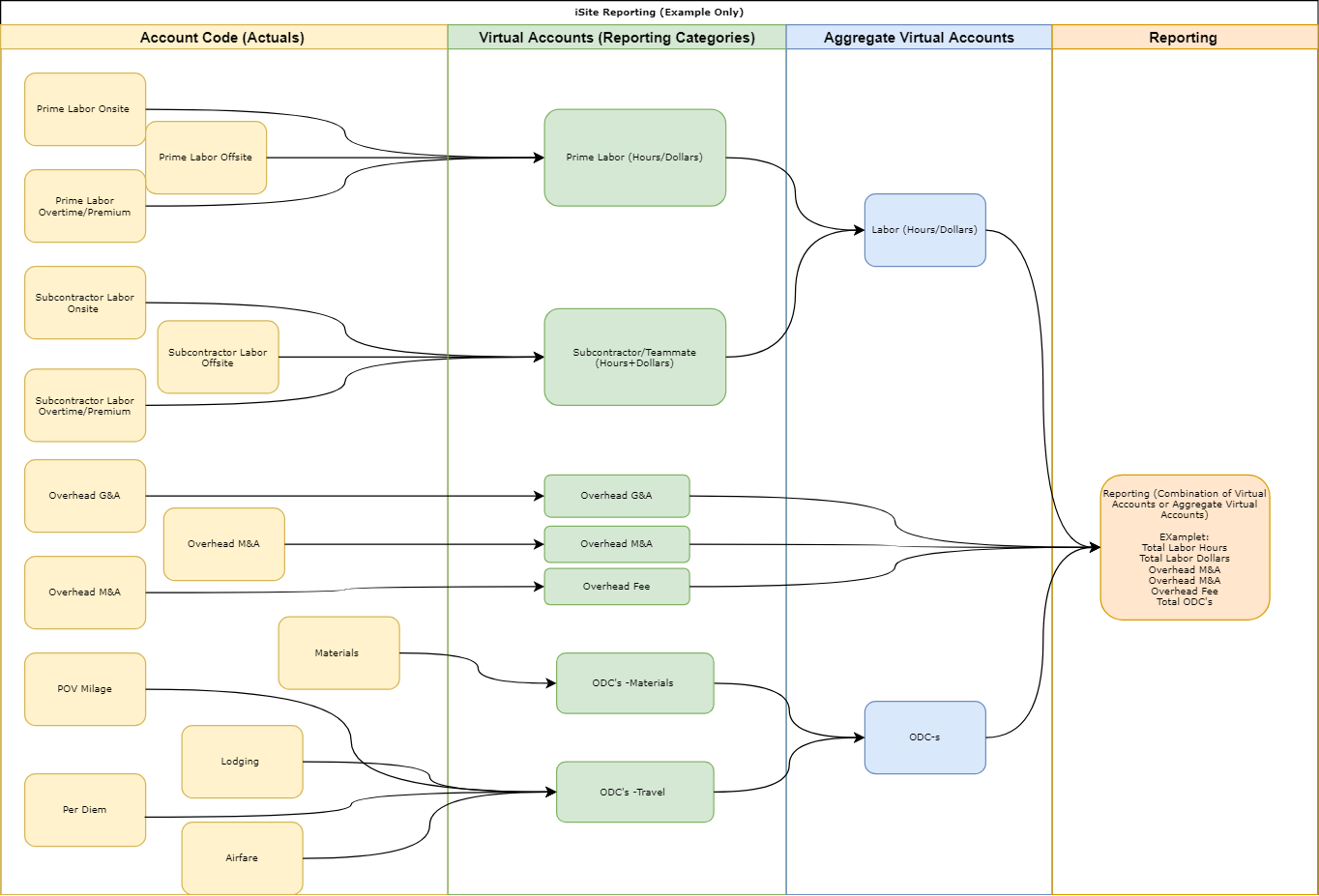
All Reporting in iSite is done via iSite Virtual Accounts, Aggregate Virtual Accounts, and ISite Query Groups (Totals). Financial Reports are Configured by your iSite Admin using report drivers to display the needed information. An example of the flow of information is below.
Financials Summary Elements
The Financials Summary menu consists of the following elements:
- Quick Access Menu for each of the four main Financials tool groups:
The Quick Access Menu for each of the four main Financials tool groups. Found on the leftmost side of the page.
- Quick Access Menu for the Modules module's six main functions:
The Quick Access Menu for the Modules. Found on the leftmost side of the page, below the Financials Quick Access Menu.
- Tabs for each of the four main Financials tool groups and a breakdown of corresponding Analysis Tools and/or Reports:
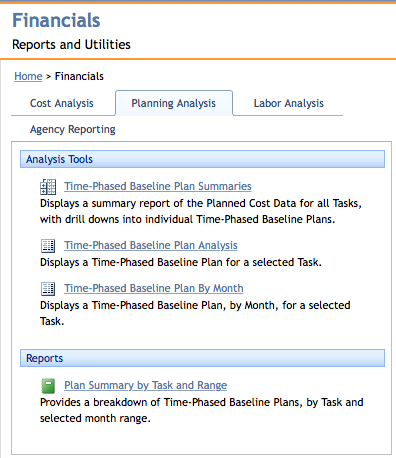
The four main Financials tool groups. This particular screen shows the Planning Analysis tab.
- Recent Financials Work, with detail corresponding to the following areas:
- Icon indicating Analysis Type/Report
- Title and/or short description
- Analysis Type/Report name
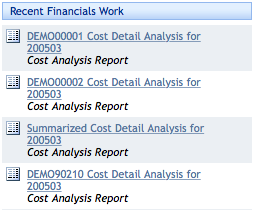
The Recent Financials Work section, found on the rightmost side of the page.
Page ID:5791-2055-2206